Find more in the hours you already keep.
Hourly Journal is free for the habit — hourly and 15-minute entries, tags and moods, streaks and achievements. Premium is for the moment your entries start to hold patterns you want to find, name and understand: up to three workspaces, minute-level blocks, Deep Report, search and dark mode.
14 days free on monthly and yearly · Cancel any time · Lifetime is a one-time purchase

Premium is for a journal that has started to grow
See the shape of it
Deep Report puts the hours in proportion — peak hours, energy, sleep and wake, and any two tags side by side.
Keep parts of life apart
Up to three workspaces, each with its own reminders and colour, and a passcode on the one you would rather not leave open.
Find it again
Search notes, tags, reactions and favourites over any range, then export exactly what you found.
What Premium adds
Everything Premium adds
Ten capabilities, in seven parts. Premium changes what the journal can tell you and how precisely you can log an hour. The way you journal stays exactly the same.
The whole month, in proportion
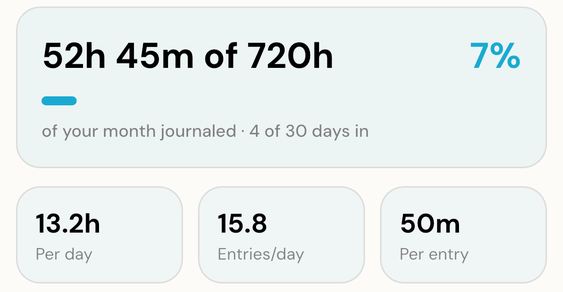
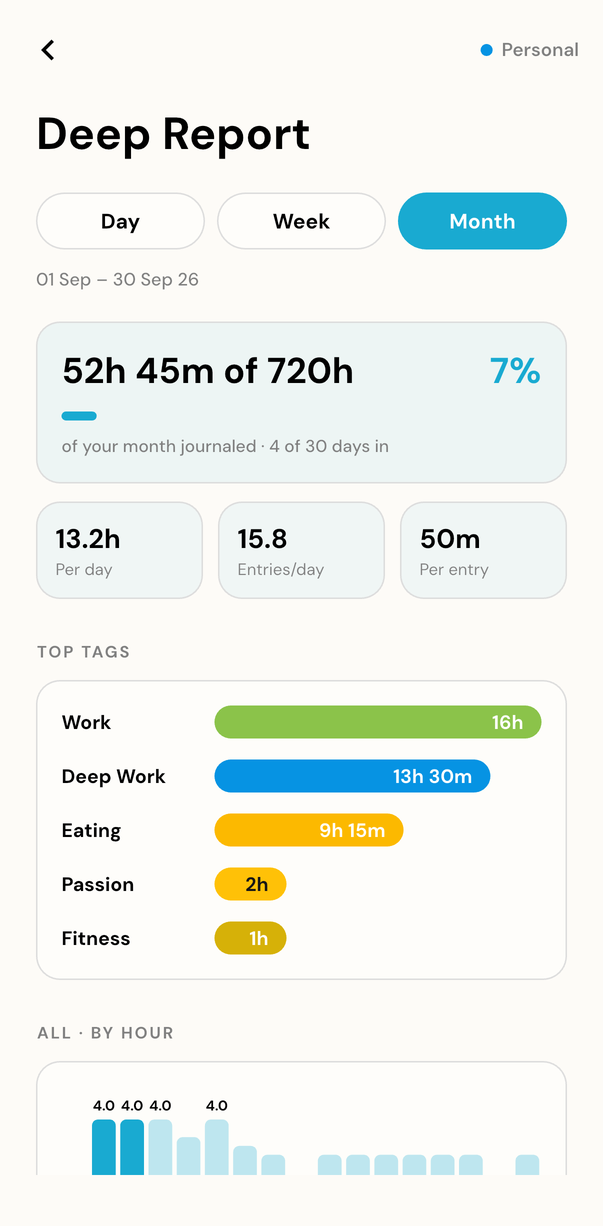
Deep Report opens with the number that puts the rest in context — 52h 45m of 720h — then breaks it down: hours per day, entries per day, minutes per entry, the hours of the day you actually log, your energy meter, and how the time split between the tags you marked positive and negative. The free view already tells you which tags filled your week — how Hourly Journal turns logged hours into insights covers what everyone gets.
- Hours in context, and by hour of the day
- Energy meter and positive vs negative split
- Mood and weekday cards, plus Sleep and Wake
Find the hour you half-remember
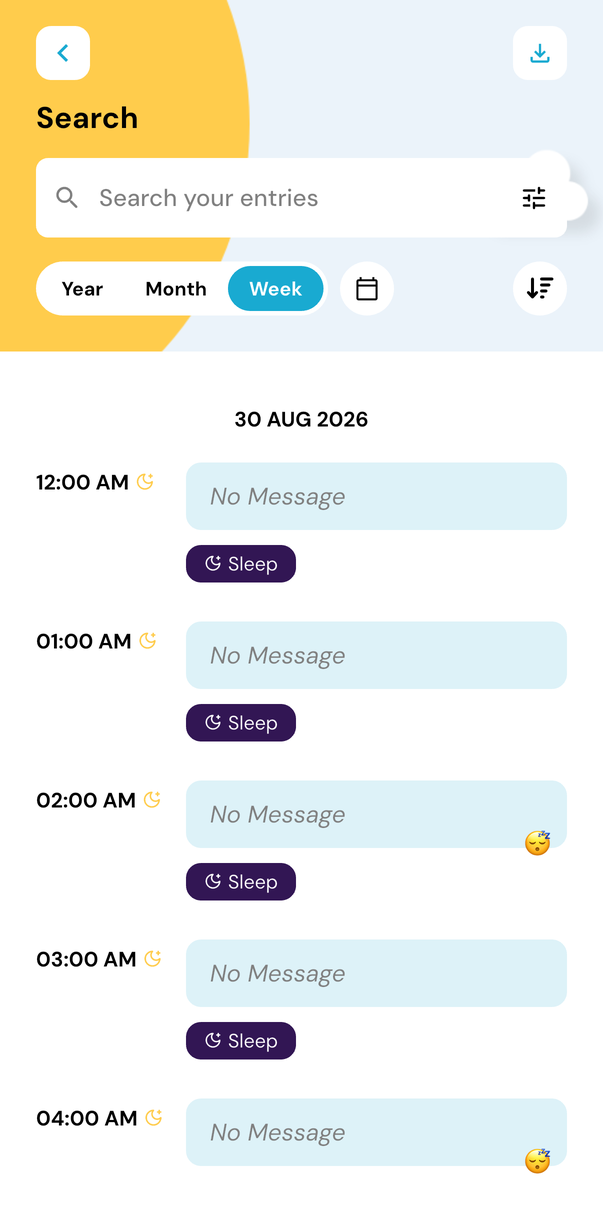
Search reads your notes, tags, reactions and favourites, over a year, a month, a week or a range you set yourself. Sort the results, see which filters are active as chips, and export exactly what you filtered — the unfiltered export of everything stays free. It works the same wherever you journal, because the web app runs the same journal in a browser.
- Notes, tags, reactions and favourites
- Year, month, week or a custom range
- Export the entries a search turned up
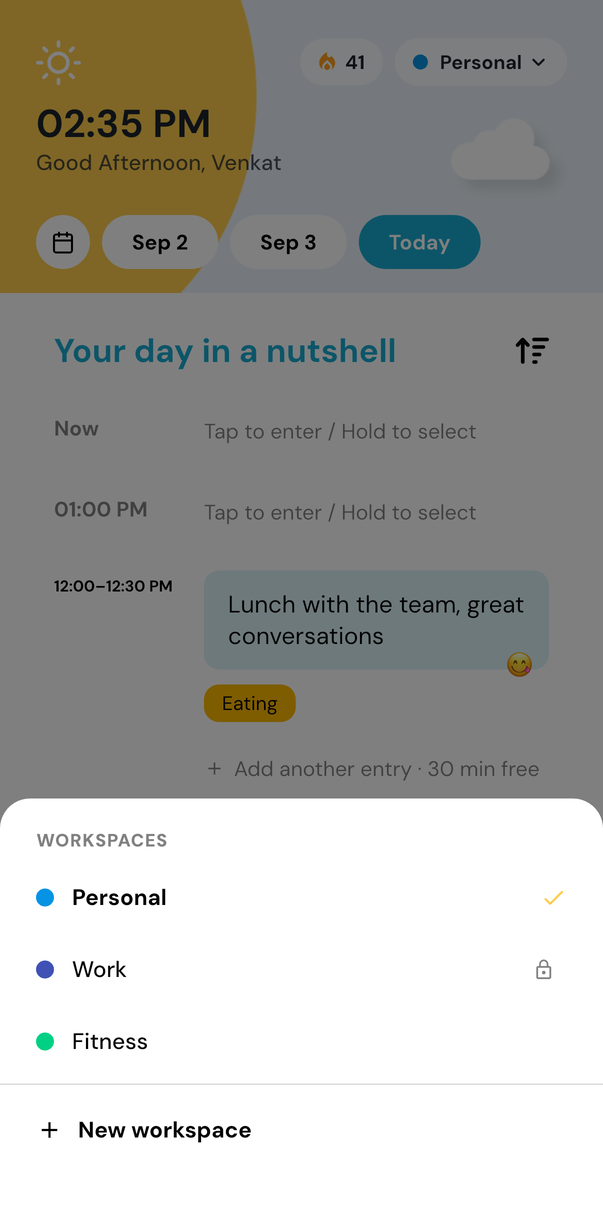
Three journals, kept apart
Personal, Work, Fitness — up to three workspaces, each with its own name, colour and reminder schedule, so work reminders stop arriving on a Sunday. Any workspace can take a 4-digit passcode, which works offline and is recovered by email if you forget it. It is a privacy screen for a shared sofa, not encryption, and we would rather say so.
- Up to three, each with its own reminders
- Own name and colour per workspace
- Optional 4-digit lock, works offline
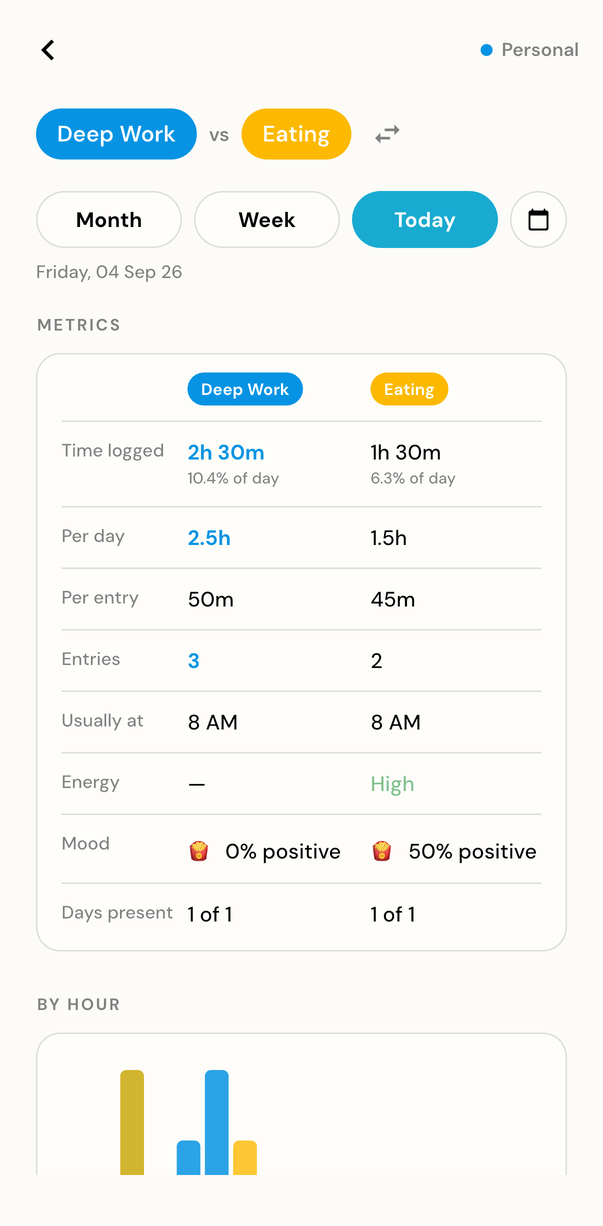
Put two tags next to each other
Pick any two tags and read them side by side — the hours, the entries, the times of day each one lands. Open a single tag instead and per-tag deep insights give it its own timeline and streaks, so a total becomes a pattern you can place in your week. Tags and moods explained shows how one tagged hour becomes a pattern.
- Any two tags, side by side
- One tag's own timeline and streaks
- Per-reaction deep report as well
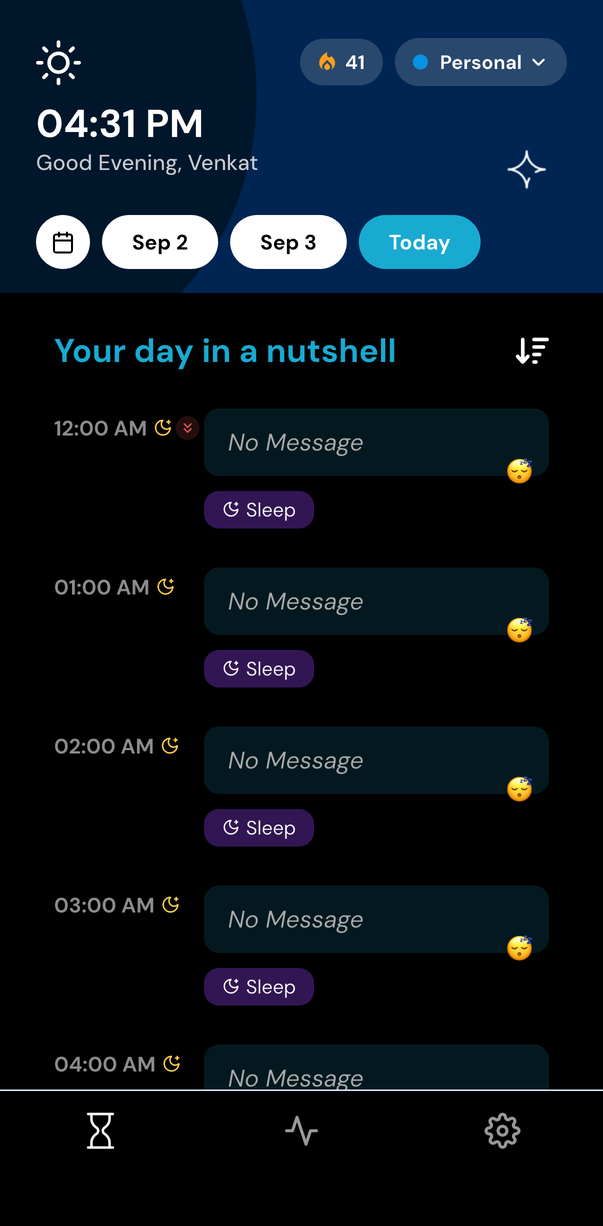
Keep the journal comfortable after dark
A true-black theme, made for OLED screens rather than a grey wash: the page goes to black and the cards sit just above it. Flip it with the sun and moon toggle, and the whole app follows — home, tags, insights, Deep Report and settings — on your phone or in the browser.
- True black, not dark grey
- Every screen, on every platform
- Sun and moon toggle, no menu digging
Name the minutes, and the tags
The 15-minute slots are free. Premium lets you set any start and end you like — 12:06 to 12:38 — for the times life does not line up with the quarter hour. It also lifts the three-tag limit: unlimited custom tags, each with an icon from a catalogue of around 346, marked positive or negative so your reports can split the time, and pinned to the top of the picker if you use them daily.
- Any start and end, to the minute
- Unlimited custom tags, with icons
- Tag sentiment, and pinned favourites
Record what an hour cost you
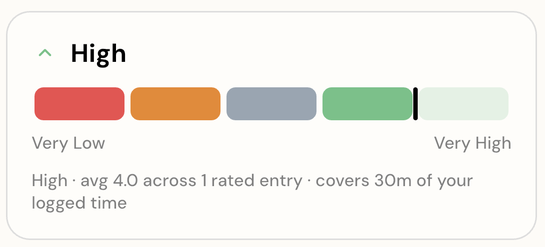
Some hours are full and some empty them out. Add an energy level from Very Low to Very High as you log, and the reports draw it back as an energy meter across the day — which is often the thing that explains the mood, and filling several hours in one go works the same way.
- Five levels, Very Low to Very High
- An energy meter in Deep Report
- Reads next to mood, not instead of it
What stays free
Keep journaling for free, for as long as you want
The core habit does not disappear behind a paywall, and 2.0 moved more into it rather than out. Premium adds optional depth — it does not take away the journal.
See everything included freeThe journal itself
An entry an hour, or any 15 minutes of it, or one entry for a whole stretch you hold to select. The habit is free on every platform.
Tags, moods and three of your own
Every pre-defined tag and every reaction, plus three custom tags you name yourself. Unlimited tags and tag icons are the Premium part.
Reminders your phone schedules
Set your waking hours, the interval and the sound in Journal Settings. The device schedules them, so they arrive with no signal. How the hourly reminder works walks through it.
Your day, week and month
Top tags and top emotions for any of the three ranges, in the regular insights view, on the free account.
A streak that forgives you
Miss a day and the count drops by one rather than to zero. Journal Stats and all 16 achievements come with it.
Every device you use
One account across iOS, Android and the browser, offline first, syncing both ways between all three.
A copy of your data
Ask for an unfiltered export of everything from Manage Profile and it is emailed to you. Exporting a filtered search is the Premium one.
Plans
Choose the plan that fits how you journal
Monthly
Try Premium for a month at a time.
$2.99/month
Billed every month.
14-day free trial
Yearly
One payment a year, and the lowest monthly cost.
$22.99/year
Yearly billed once a year.
14-day free trial
Lifetime
Pay once, and never think about it again.
$24.99
One payment, no renewal.
No trial — a single payment.
On iPhone and Android the purchase is handled by the App Store and Google Play. On the web it runs through Paddle for international cards, with Paddle as the merchant of record and tax already in the price, or through Razorpay in rupees for India — picked from your timezone, not from a toggle.
Premium appears a few seconds after checkout, and a subscription can be cancelled any time: it then runs to the end of the period you have paid for.
Premium FAQ
Premium questions, answered
What happens when the free trial ends?

Hourly Journal · just now
Can I cancel Premium?
Hourly Journal · just now
Does Lifetime renew?
Hourly Journal · just now
Where can I buy Premium?
Hourly Journal · just now
Is the core journal really free?
Hourly Journal · just now
Do I pay for the 2.0 update?
Hourly Journal · just now
Will I pay exactly the price shown here?
Hourly Journal · just now
Start with the next hour
One small check-in each hour puts your whole life in perspective
Free to start. Try it on iOS, Android, or the web.